Figma

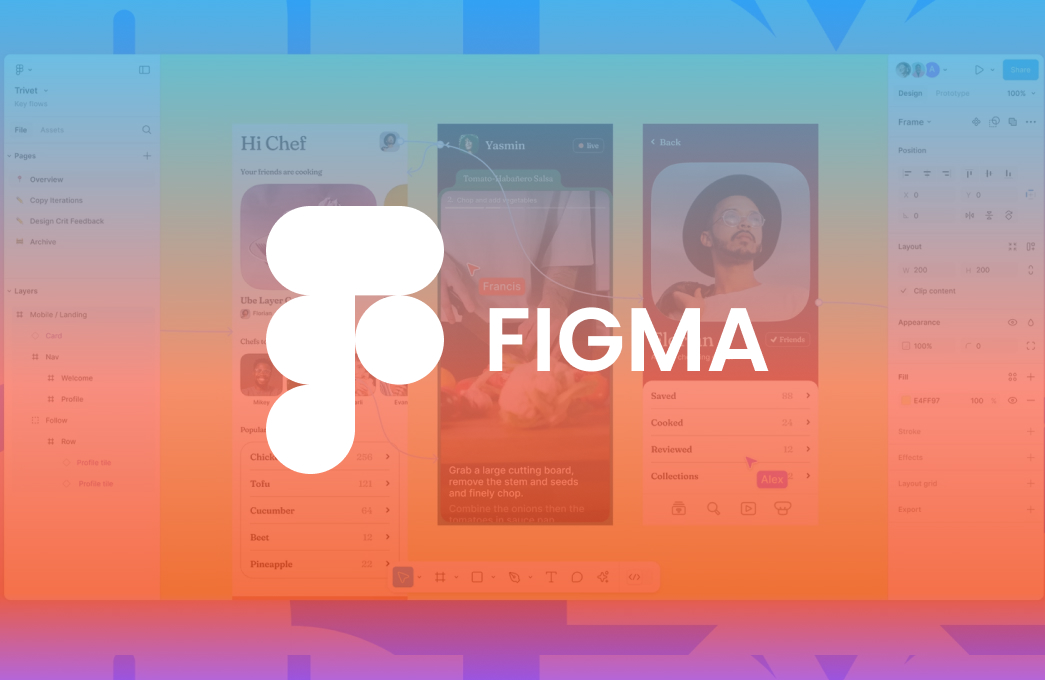
Figma is a web-based graphics editing and user interface design app. You can use it to do all kinds of graphic design work from wireframing websites, designing mobile app interfaces, prototyping designs.

  • Better teamwork
  • Layout grids for better visual structure
  • Is intuitive and user friendly
  • Figma is fast and frictionless to use
  • Figma is web-based and works anywhere
  • Figma is Faster in the cloud
image
Figma for Seamless Team Collaboration

Collaborate in real time, share feedback, and streamline workflows with Figma

01

Figma is fast and frictionless to use

Simply put, Figma is fast. Fast to upload, drag, zoom, download, edit… you name it. The team behind Figma has optimized their system to perform 3X faster in the last three years. When you’re designing, you need things to move right along with you with no lag or jarring. Figma nails it.

02

Figma has prototype and animation building capabilities

Say it with us: no more tool switching. It’s ridiculously simple to create micro-interactions, animations, and prototypes directly in Figma. The days of going from Sketch to InVision or Principle are long gone. This creates a more streamlined process for designers, and keeps all your design elements in one neat, tidy place.

03

Where are Figma files?

home screen overview. Unlike Sketch, Figma’s files are not stored locally on your computer but cloud-based. You can access all your work through the browser, anytime, anywhere. There is a Figma App for Mac and PC I recommend using, but you don’t necessarily need it.

04

Figma brings everyone on the team into the process

We’ve saved the best for last: anyone and everyone can use it. Whether they’re a designer or an intern in marketing, Figma is made to be used by all. Since it’s web-based, anyone with a link can view designs in their browser — no software or app required.

05

Is Figma good for graphic design?

Figma, in my opinion, is the best free design software available. Learning graphic design in Figma can save you a lot of time and reduce stress. Working with this software makes the design process quick, fun, and very efficient, plus, you can collaborate online with other people very easily.

Real-Time Collaboration

Real-Time Collaboration

Work simultaneously with team members on the same design file, seeing changes live. Figma allows multiple users to edit, comment, and brainstorm together in real time.

Rapid Prototyping

Rapid Prototyping

Create interactive prototypes quickly to visualize user flows, test functionality, and gather feedback early in the design process. Figma’s intuitive tools allow designers to simulate real user interactions.

Cross-Platform Design

Cross-Platform Design

Design responsive interfaces for web, mobile, and desktop applications effortlessly. Figma enables teams to create adaptable layouts and components that work seamlessly across devices, ensuring a consistent.

Seamless Feedback

Seamless Feedback

Comment directly on designs, streamline revisions, and keep all feedback in one central place. Figma allows stakeholders and team members.

image

Collaborative Design Solutions with Figma

83%

Simulate user flows and gather actionable feedback to validate design decisions before development. Figma allows teams to create interactive prototypes, test usability, identify issues early.

85%

Efficiently structure files, pages, and components to keep your design projects organized. Figma enables teams to maintain a clear hierarchy, easily locate assets, and manage multiple projects simultaneously.

86%

Maintain a centralized design system with reusable components, styles, and assets to ensure consistent branding across all projects. Figma allows teams to update components globally.

Figma Design & Collaboration FAQ

Find answers on designing, prototyping, and collaborating with Figma

Figma is a cloud-based design tool for creating UI/UX designs, wireframes, prototypes, and interactive mockups, enabling real-time collaboration among teams.

Yes! Figma allows multiple users to edit the same design file in real time, making collaboration seamless.

Absolutely. Figma lets you create interactive prototypes to visualize user flows, simulate interactions, and test designs before development.

Stakeholders and team members can leave contextual comments directly on designs, ensuring feedback is clear, organized, and easy to implement.

Yes, Figma supports responsive design for web, mobile, and desktop platforms, allowing you to create adaptive interfaces.

Our happy clients always say, how they are satisfied with our service.

After a year of working hand in hand with CodeFire.agency, their commitment makes them feel like a natural extension of our company.

Khushbu Patel

CEO
Quote Icon

CodeFire agency took the time to understand our business and goals. The result was a solution that exceeded expectations highly recommended.

Dildeep Ghallon

CEO
Quote Icon

The great thing about the team at CodeFire.agency is their dedication to finding tailored solutions for each web or app development challenge through thorough analysis and planning.

Sukhvir Kaur

CEO
Quote Icon

Straightforward communication and predictable outcomes make CodeFire.agency unique. Their expertise in custom development has accelerated our project timelines significantly.

Marissa Lozano

CEO & Founder
Quote Icon

We’ve been depending on CodeFire.agency for website development for over a year. Their consistency and support have been outstanding.

Tanuja Rana

Manager
Quote Icon

What impressed us most was the proactive approach of CodeFire.agency. They not only delivered on time but also suggested improvements that made our project even better.

Amandeep Kaur

CEO & Founder
Quote Icon

CodeFire.agency combines technical expertise with genuine customer care. Their team is always available, responsive, and committed to quality delivery.

Cristina Di Giacomo

Manager
Quote Icon
Contact Us

Let’s connect today and build the right strategy for your success.

Get In Touch

Ready to Take the Next Step?
Your ideas deserve the right attention. Simply fill out the form and let us connect with you.
  •  Quick consultation from our experts
  •  Clear answers to your queries
  •  Guidance tailored to your needs